
How to Launch a Squarespace Ecommerce Store for Meal Prep and Private Chef Businesses
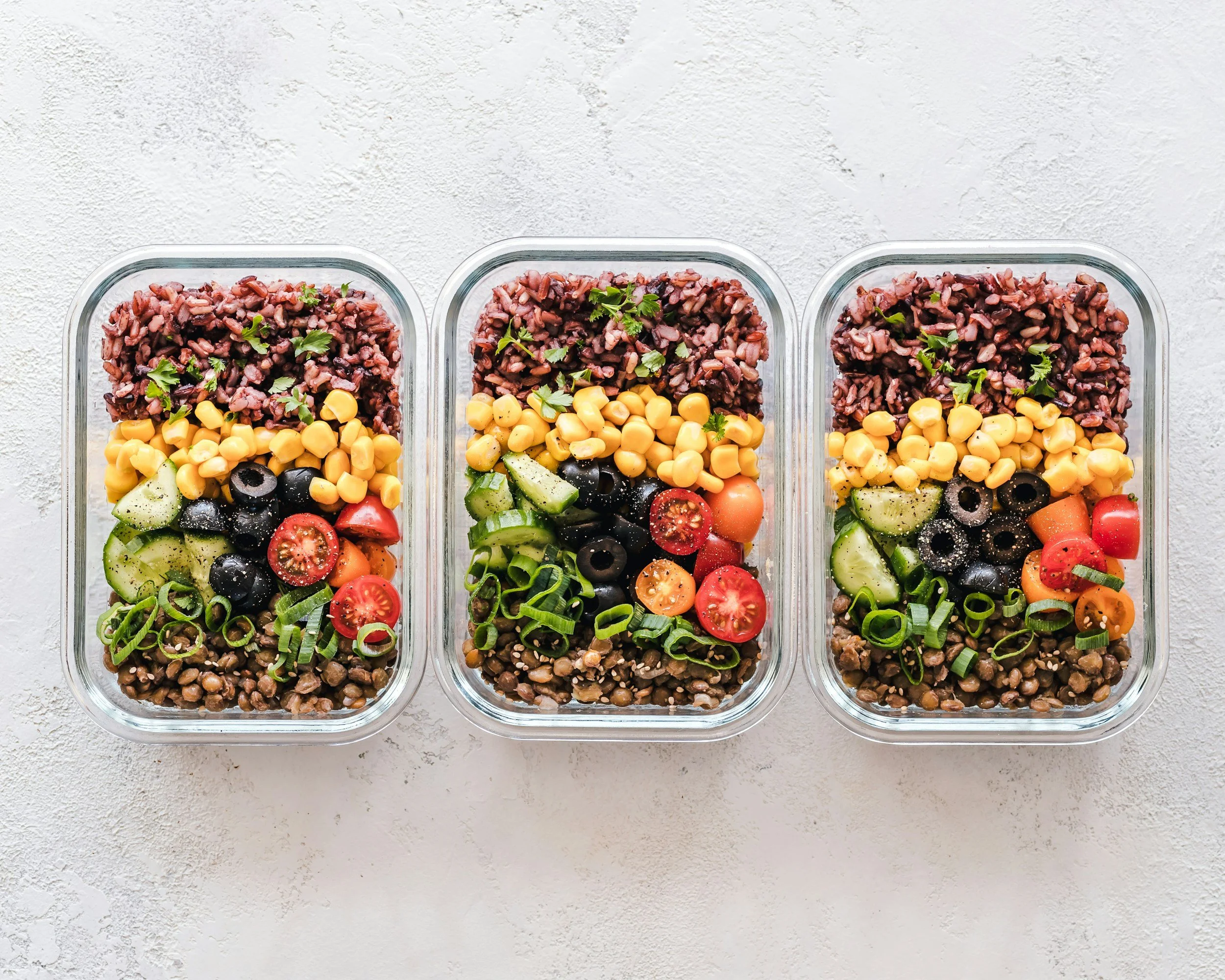
meal prep ecommerce store for private chefs
Starting a meal prep or private chef business online means more than posting a menu. Your Squarespace store needs to handle orders, custom requests, delivery logistics, and payments, all while looking as good as the food you serve. This guide walks through every step of launching a Squarespace ecommerce store built specifically for food entrepreneurs.
If you get stuck at any point, the team at Boxify Web Designs builds Squarespace stores for food businesses every day and can set this up for you from start to finish.
1. Add a Shop Page from the Templates
Squarespace gives you built in shop templates designed for selling physical and made to order products. For a meal prep or private chef business, this becomes the digital menu your customers order from.
Pro Tip: The more organized you are, the easier it is for a website designer or yourself to organize your digital store. A simple docs or Google sheet with packages, snacks, sauces, ingredients and la carte options can save hours in the long term. It is not required, but it can be beneficial.
Adding Categories to your meal prep subscription business
Use categories to separate the different ways customers can buy from you. A few examples for the food industry:
Weekly meal prep plans
A la carte individual meals
Private chef booking packages
Add ons like snacks, sauces, or desserts
Gift cards and gift boxes
Clear categories help customers find what they want fast, which keeps them from bouncing off your site before they order.
Adding Product Name, Description, and Additional Information
Every meal or service needs a name and description that sells. Instead of just "Chicken Bowl," try something descriptive like "Grilled Lemon Herb Chicken Bowl with Roasted Vegetables." Include:
Calorie count and macros if you serve a fitness focused audience
Ingredients list for transparency
Allergen information
Portion size or serving count
Reheating or storage instructions
Product names and description is the longest part of any ecommerce store build out according to our web designers at Boxify Web Designs. Selecting high converting keywords will help your business be seen locally.
Forms: Collecting Details Before Checkout
Squarespace lets you add product forms so customers can customize their order before they check out. This is one of the most useful tools for a food business. Examples include:
"Choose your protein" for meal prep boxes
"Any dietary restrictions or allergies?" for private chef bookings
"Preferred delivery date and time"
"Add a gift note" for meal gift boxes
"Spice level preference"
Forms let you personalize the experience without needing a separate phone call or email for every order. Asking the right questions in your form will reduce the need for customer service and reaching out to clients. Also, asking the right questions can provide confidence to your customers that you are the right private chef for there family.
Adding Variations: Different SKUs
Variations let you offer the same product in different versions. For food businesses this typically means:
Portion sizes: Single, Family, Weekly plan
Protein options: Chicken, Beef, Tofu, Salmon
Dietary versions: Keto, Vegan, Gluten Free
Packaging options: Standard or Eco Friendly
Each variation can carry its own SKU, price, and inventory count, which matters if you are prepping limited quantities each week.
Related Categories in Selling Tools
Squarespace lets you link related products so customers see suggestions like "Add a Dessert" or "Pairs well with this Sauce" while browsing. For meal prep businesses, this is a simple way to increase average order value without extra marketing spend.
Think related categories in selling tools as your checkout line order where you have items that might have been missed by the customer. This is one of the most important tool that Squarespace provides which helps increase sales. Many customers will see your brand and might might miss that you also provide snacks, juices, and desserts with your meal preps. Related categories will help you boost more sales.
Customizing the Product Pages
Make your product pages reflect your brand. Move layout blocks around to prioritize what matters most, such as photos of the finished dish, nutrition facts, or customer reviews. High quality food photography paired with a clean, uncluttered layout builds trust fast and encourages first time buyers to order.
2. Shipping Profiles
Food businesses have shipping needs that differ from typical ecommerce stores, especially when perishable items are involved.

Shipping profiles for Squarespace Private Chef Businesses
Weight and Shipping Options
Know the weight of each packaged meal or meal box, including ice packs and insulated packaging. This determines your shipping cost accuracy and which carriers or delivery methods make sense for perishable goods.
Adding Length and Width for Each Product
Accurate dimensions matter more for food than most products because of insulated boxes and cooler packaging. Entering correct measurements prevents underpriced shipping labels that eat into your margin.
Flat Rate Shipping
Instead of calculating live rates, many meal prep businesses set a single flat shipping fee, or offer free shipping over a certain order amount. This is often easier for customers to understand and can reduce cart abandonment. Boxify Web Designs has done several e-commerce meal prep businesses and cart abandonment is something to take into consideration. Growth can happen when someone selects and unselects.
In Store or Local Pickup
Under additional shipping options, you can enable local pickup. This is especially useful for private chefs and meal prep services operating within a specific delivery radius, since it avoids shipping costs entirely and keeps food fresher.
Fulfillment Profiles
Fulfillment profiles let you control what can be shipped and how. For a food business, this is critical: perishable meals may need to be restricted to local delivery or pickup only, while shelf stable items like sauces or spice blends can ship nationwide. Most meal preps provide a metropolitan area for there services. Boxify Web Designs can create fulfillment profiles to help narrow your customers to your specific area.
3. Payments
Setting Up Payment Options
Before you can sell anything, you need a connected payment processor. Squarespace supports several options including PayPal, Stripe, Square, and Squarespace Payments. Choose the one that fits your existing tools or offers the lowest fees for your transaction volume.
Verification Time
Payment processors typically take about two weeks to fully verify a new business account. Plan your launch date accordingly so you are not stuck waiting on payment approval during a planned opening week.
Automating Sales Tax Collection
Squarespace can automatically calculate and collect sales tax at checkout for a small per transaction fee. Keep in mind that prepared food tax rules vary by state and sometimes by city, so it is worth confirming how taxable food sales are classified in your area before your store goes live. Our experience has shown that allowing Squarespace system to automate tax collection does a decent job at collecting what is needed. We always recommend customers to review the tax collection for there most sold areas to ensure majority of the taxes are being collected correctly.
Ready to Launch Your Food Business Online?
Setting up a Squarespace store for a meal prep or private chef business involves a lot of moving pieces: menu structure, custom order forms, shipping rules for perishable goods, and payment setup that keeps you compliant. Boxify Web Designs specializes in building Squarespace ecommerce stores for food businesses, so you can spend less time on setup and more time in the kitchen.
Reach out to Boxify Web Designs today to get your Squarespace store built and ready to take orders.