
Why Squarespace websites have gaps and what do squarespace designer do?
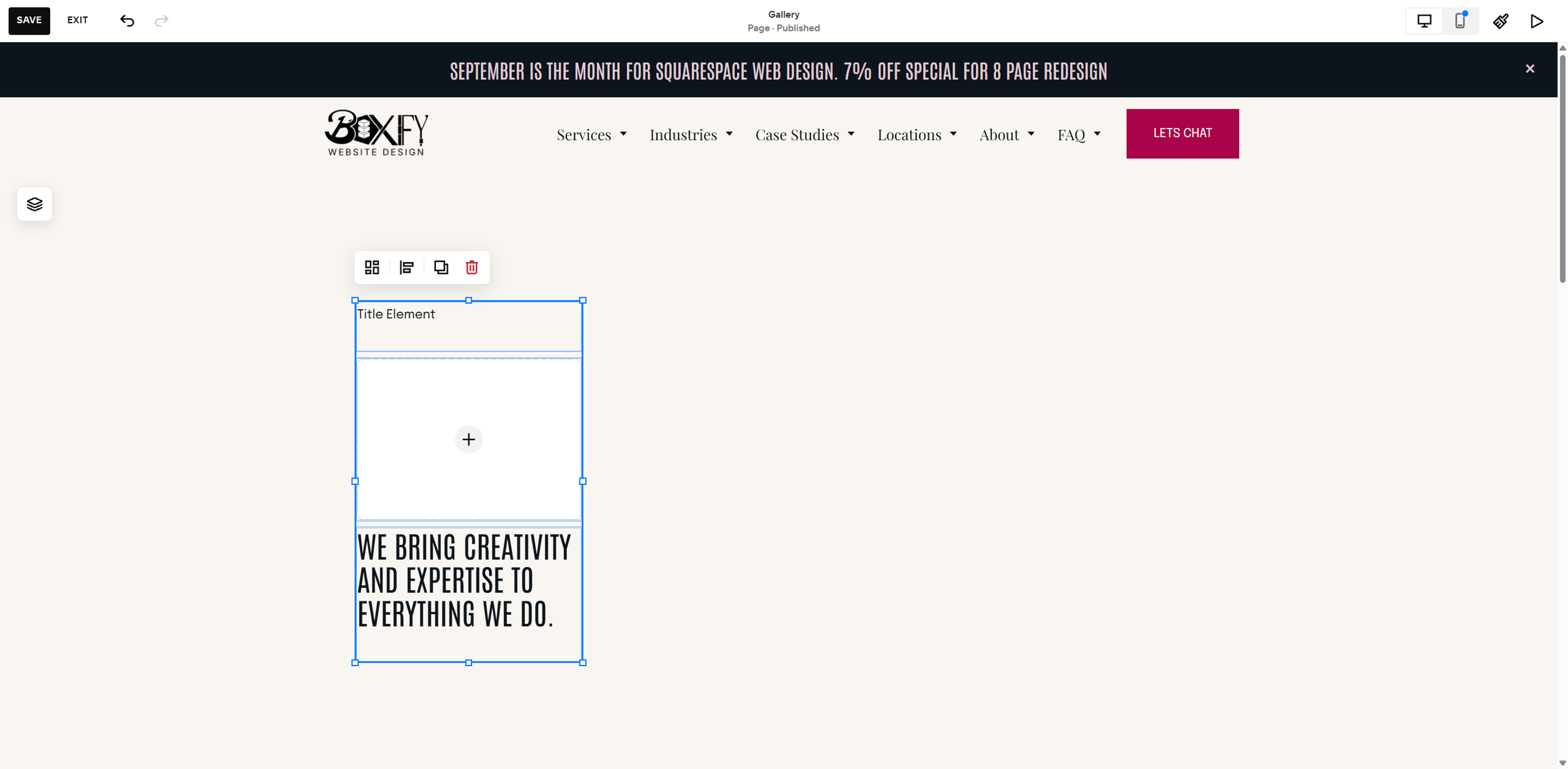
You start with a template, then add a few elements: text, images, alignment, all according to your vision. Then you remember mobile, jump into the mobile editor, and adjust everything to fit. You think you're done. Then you open the site on another device and the spacing is off. There's a chunk of empty space between your header and your button, or your image is spaced out far more than you intended.
In early 2020, Squarespace launched 7.1, which replaced its rigid, template-locked 7.0 with the Fluid Engine. This is one of the most common issues we see at Boxify Web Designs, and in 2026, there's finally a real solution: the Stacks feature. It's revolutionary.
Why does Squarespace create gaps?
The Fluid Engine places every block into a fixed number of cells on a grid. The entire system is built on CSS grid. When you drop in a text block, Squarespace locks it into a set width and height based on the content at that time.
That grid-cell size doesn't shrink just because the content inside no longer needs the space. On a bigger screen, your text can display without wrapping onto as many lines, but the block itself still holds onto its original cell count. The result is empty space around content that used to fit snugly.
Everything tends to look great, until you add another element, like a button, text, or image. The entire system then has to adjust, and often that creates a gap. It's not a bug. The editor is doing exactly what it was told to do, you just can't see the grid it's using until you turn it on (press G in the editor to view it).
How Squarespace web designers used to solve this problem
Before Squarespace's engineers addressed this directly, the common advice was to design on the biggest screen you had access to and adjust the gaps accordingly. This worked, but it was a workaround. The problem only showed up on large monitors, and you had to redo it every time content was added or removed.
The 2026 fix for Squarespace gaps
Squarespace's Stacks feature, available in 7.1 Fluid Engine sections, groups blocks together so they behave as a unit instead of holding onto rigid, individual grid dimensions. Once blocks are stacked, their spacing flexes with the actual content rather than a fixed cell count, which is what eliminates the dead space on larger screens. Implemented correctly, it works as well as, if not better than, what was available in 7.0 templates. The Stacks feature is a blessing if you take the time to learn it.
Does it have its own quirks? Absolutely. But it's the best solution to a problem almost every Squarespace website runs into.
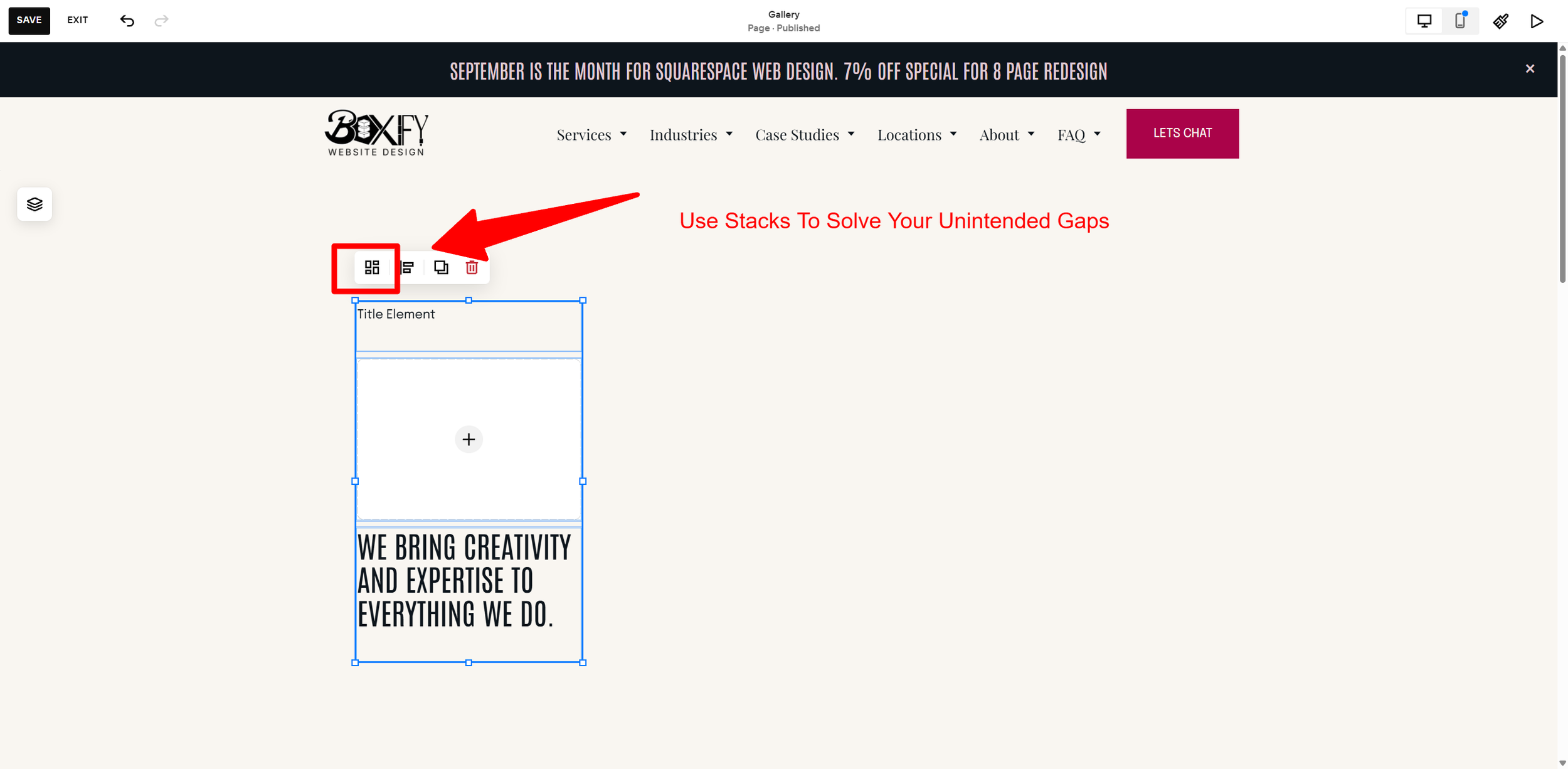
How to use it:
Select the blocks you want to group. Click one, then Shift+Click the others, or drag a selection box around them.
Press Shift+S, or click the stack icon in the toolbar, to group them into a Stack.
Don't panic if the layout shifts right away. That's normal. Adjust spacing and sizing from there.
Use the spacing controls inside the Stack to set consistent gaps between the grouped blocks.
Stacks can also be nested. If you need different spacing between different elements (say, a heading and paragraph should sit tighter together than the button below them), group the heading and paragraph first, then stack that group with the button separately. Each layer gets its own spacing.
A Few Things to Know Before You Start
It only works in 7.1 Fluid Engine sections. Stacks doesn't work in Classic Editor or on 7.0 sites.
Blocks in the same Stack share one spacing value. If you need different gaps between different elements, you'll need nested Stacks rather than one big group.
Overlapping, collage-style layouts are the exception. Stacks handles side-by-side and stacked layouts well, but it tends to convert overlapping blocks into a side-by-side arrangement instead. For a true overlap effect, you're usually better off placing those elements individually on the Fluid Engine grid.
Watch the insert marker while dragging. It's easy to accidentally nest a block inside an existing Stack without meaning to, which creates new spacing issues of its own. Watch for the blue insert line before you drop a block.
Hire a Squarespace Web Designer Today
Unintended gaps aren't a flaw in your design, they're a side effect of how Fluid Engine's grid holds onto block size. Stacks is the tool built specifically to solve it, and once you're comfortable grouping and nesting blocks, it holds your layout together across every screen size without the manual babysitting.
At Boxify Web Designs, we see many small businesses finish a website they're proud of, but one that misses the basics. We work with service-based businesses and e-commerce stores to fix those fundamentals: structure, internal linking, content, and yes, unintended gaps. Think it's expensive? Request a free consultation today, you might be surprised.